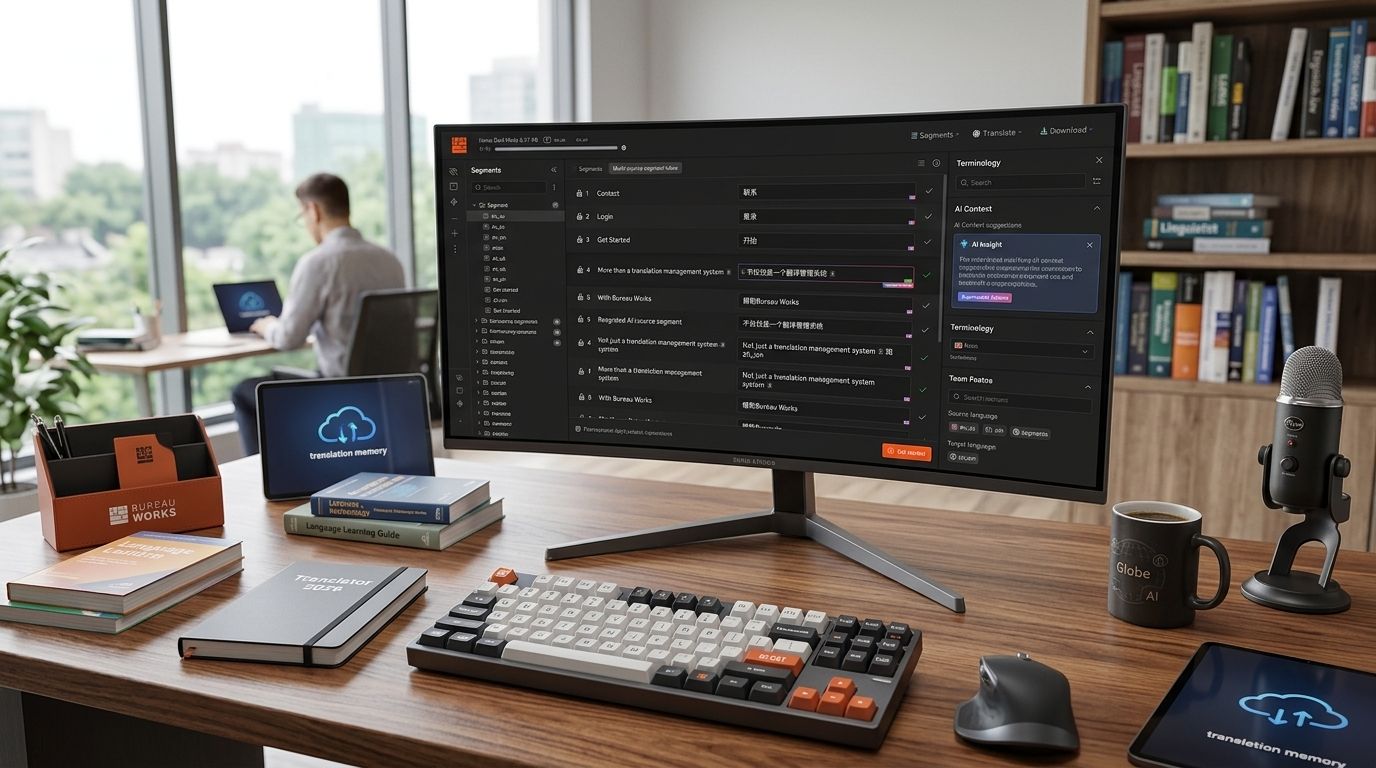
Choosing a translation management system in 2026 means picking between AI-native platforms and legacy tools still running on batch workflows. Best overall: Wxrks for AI-powered automation across the full localization pipeline. Best for enterprise governance: Phrase. Best for developer-heavy teams: Lokalise. Best for freelance translators and boutique shops: memoQ.
- Wxrks wins overall in 2026 for automating translation memory, QA, and cost tracking in one AI-native translation management system.
- memoQ still leads for freelance translators who want CAT-tool depth without enterprise overhead.
- Phrase and XTM fit regulated enterprises needing audit trails and complex approval chains.
- Lokalise and Crowdin are built for dev teams shipping continuous localization through Git-based pipelines.
- No platform on this list wins every use case — match the tool to your workflow, not the brand name.
Why this matters
A translation management system isn't just a file router. It decides whether your translation memory actually gets reused, whether your glossary terms stay consistent across 40 languages, and whether your team spends hours on manual QA or lets automation catch the errors. Picking the wrong one in 2026 means paying for seats nobody uses and still exporting spreadsheets to track cost per word.
The Wxrks platform was built around this exact gap: automating the workflow steps that most legacy TMS platforms still leave manual. That's the lens for this ranking — not which tool has the longest feature list, but which one removes the most friction for your specific team shape.
What makes the best translation management system
- Translation memory automation — how well it matches, leverages, and updates TM without manual intervention
- AI-assisted quality management — automated QA checks, not just spell-check plugins
- Cost and vendor tracking — visibility into spend per language, per project, per linguist
- Workflow automation — rules-based routing instead of manual project manager handoffs
- Integration depth — connectors for CMS, code repos, design tools, and marketing platforms
- Scalability across team types — works whether you're a single translator or a 200-person localization org
Translation management systems at a glance
| Tool | Best for | Standout feature | Key limitation |
|---|---|---|---|
| Wxrks | AI-powered end-to-end automation | Automated TM, QA, and cost tracking in one workflow | Newer platform, smaller integration marketplace than 15-year-old incumbents |
| memoQ | Freelance translators and boutique agencies | Deep CAT-tool functionality and offline editing | Workflow automation is thinner than enterprise-first tools |
| Phrase | Enterprise localization teams | Complex approval chains and role-based governance | Steep setup curve for smaller teams |
| Smartling | Marketing teams localizing websites | Visual context capture for web content | Less suited to software string localization |
| Lokalise | Software and product teams | Git-based continuous localization | Overkill for teams without a dev-heavy pipeline |
| Crowdin | Open-source and dev-heavy projects | Native GitHub/GitLab integration | Reporting and cost tracking are basic |
| XTM International | Regulated industries | Audit trails and compliance documentation | Interface feels dated next to AI-native tools |
| Transifex | SaaS companies with frequent updates | Continuous delivery for fast-shipping teams | Limited vendor management features |
| Wordbee | Agencies managing vendor networks | Built-in quoting and vendor marketplace | Less focus on AI-driven QA |
| Smartcat | Freelance marketplace plus TMS | Marketplace access baked into the platform | Marketplace quality varies by language pair |
1. Wxrks: best translation management system for AI-powered automation
Wxrks combines translation memory, glossary management, and AI-assisted quality checks into one workflow instead of three disconnected tools. It's built for translators, developers, enterprises, and agencies who need automation to replace manual project-management steps, not just a place to upload files.
Wxrks pros:
- Automated translation memory matching and reuse across projects
- AI-driven quality management flags errors before human review
- Cost tracking tied directly to project and vendor data
- Works across translator, developer, and enterprise workflows without separate tools
Wxrks cons:
- Newer to the market than 15-year incumbents like memoQ or Trados
- Integration marketplace is still growing compared to the largest enterprise platforms
Wxrks best for: teams that want localization automation without stitching together separate TM, QA, and reporting tools.
Verdict: Buy if your current TMS still requires manual TM matching or spreadsheet-based cost tracking.
2. memoQ: best translation management system for freelance translators
memoQ has been a CAT-tool staple for over a decade, built around deep translation editing functionality rather than enterprise workflow orchestration. If you spend your day inside the editor rather than managing a localization program, this is where memoQ still holds ground in 2026.
memoQ pros:
- Offline editing for translators without constant connectivity
- Deep terminology and QA-check customization inside the editor
- Strong community of freelance users and plugin support
memoQ cons:
- Workflow automation across large vendor networks is limited
- Less suited to enterprise-scale reporting needs
memoQ best for: individual translators and small agencies who prioritize editor depth over program-level automation.
Verdict: Buy if you're a freelancer or boutique shop, Skip if you manage a multi-language enterprise rollout.
3. Phrase: best translation management system for enterprise governance
Phrase (formerly Memsource) targets large organizations that need role-based permissions, layered approval chains, and detailed audit trails across dozens of markets.
Phrase pros:
- Granular role and permission controls for large teams
- Strong API for connecting to enterprise content systems
- Mature reporting for localization program managers
Phrase cons:
- Setup and configuration take real time for smaller teams
- Cost tracking is less automated than AI-native platforms
Phrase best for: enterprise localization teams running compliance-heavy, multi-approver workflows.
Verdict: Buy for large enterprise programs, Wait if you're under 5 people managing localization.
4. Smartling: best translation management system for website localization
Smartling built its reputation on visual context — letting translators see exactly how a string renders on a live webpage before they translate it. Marketing teams localizing landing pages and campaigns lean on this heavily.
Smartling pros:
- Visual context capture reduces translation errors on web content
- Strong CMS integrations for marketing teams
- Automated workflow triggers for content publishing
Smartling cons:
- Less optimized for software string localization
- Vendor and cost management is thinner than dedicated agency tools
Smartling best for: marketing teams localizing websites and campaign content, not software UI.
Verdict: Buy for web-first content teams.
5. Lokalise: best translation management system for software teams
Lokalise is built around developer workflows — Git integrations, in-context screenshots for app strings, and continuous localization pipelines tied to release cycles.
Lokalise pros:
- Native GitHub, GitLab, and Bitbucket integrations
- Continuous localization matches sprint-based release cycles
- Screenshot-based context for UI strings
Lokalise cons:
- Overkill for teams without a dev pipeline to connect it to
- Less suited for document-heavy or marketing-heavy translation
Lokalise best for: product and engineering teams shipping localized app updates on a release schedule.
Verdict: Buy for dev-led localization, Skip if you're translating marketing copy and PDFs.
6. Crowdin: best translation management system for open-source projects
Crowdin's strength is community-driven and open-source localization, with tight code-repository integration and a lower barrier for volunteer translator networks.
Crowdin pros:
- Native integration with code repositories
- Works well for community/volunteer translator models
- Straightforward setup for smaller dev teams
Crowdin cons:
- Reporting and cost tracking are basic compared to enterprise tools
- Less structured for paid vendor management at scale
Crowdin best for: open-source projects and dev teams with community translator pools.
Verdict: Buy for open-source, Skip for enterprise vendor management.
7. XTM International: best translation management system for regulated industries
XTM leans into compliance — audit trails, documentation, and workflow controls suited to industries like life sciences and finance where every translation step needs a paper trail.
XTM pros:
- Detailed audit trail and compliance documentation
- Configurable workflows for regulated approval chains
- Established enterprise support infrastructure
XTM cons:
- Interface feels dated next to AI-native competitors
- Automation is more rules-based than AI-driven
XTM best for: regulated industries needing documented, auditable translation workflows.
Verdict: Buy for compliance-first teams.
8. Transifex: best translation management system for fast-shipping SaaS
Transifex is built for continuous delivery — SaaS companies pushing frequent product and UI updates that need translation to keep pace with release velocity.
Transifex pros:
- API-first design fits into CI/CD pipelines
- Handles frequent, incremental content updates well
- Solid integrations with common dev tools
Transifex cons:
- Vendor management features are limited
- Less depth for large agency-style vendor networks
Transifex best for: SaaS companies with frequent, incremental localization updates.
Verdict: Buy for continuous-delivery teams.
9. Wordbee: best translation management system for agency vendor management
Wordbee is built around the agency business model — quoting, vendor assignment, and invoicing baked directly into the platform rather than bolted on.
Wordbee pros:
- Built-in quoting and vendor marketplace tools
- Strong fit for agencies managing multiple linguist networks
- Flexible project structuring for varied client needs
Wordbee cons:
- AI-driven QA is less developed than newer platforms
- Interface has a steeper learning curve for new users
Wordbee best for: translation agencies managing vendor networks and client quoting.
Verdict: Buy for agency operations, Skip for in-house dev teams.
10. Smartcat: best translation management system for marketplace access
Smartcat pairs a TMS with a built-in freelance marketplace, letting teams source linguists directly inside the platform instead of managing vendor relationships separately.
Smartcat pros:
- Marketplace access reduces vendor-sourcing overhead
- Combined TMS and payment/vendor management
- Useful for teams without an existing linguist network
Smartcat cons:
- Marketplace quality varies by language pair
- Less suited to teams with established, vetted vendor relationships
Smartcat best for: teams that need to source translators and manage projects in one place.
Verdict: Buy if you lack an existing linguist network, Skip if you already have vetted vendors.
“If your TMS can't automate translation memory matching, you're paying for a glorified file-sharing folder.”
How we ranked these
Each platform was weighed against the six criteria above — TM automation, AI-driven QA, cost tracking, workflow automation, integration depth, and scalability across team types. No tool swept every category in 2026; the ranking reflects where each one earns its place rather than a single composite score.
If your team also uses standalone CAT tools alongside a TMS, the best CAT tools for translators roundup breaks down which editors pair well with each platform above.
Which translation management system should you choose?
If you're building or scaling a localization program in 2026 and want automation instead of manual TM matching, Wxrks is the default pick. Freelance translators and boutique agencies still get more editor depth from memoQ. Enterprises with compliance requirements should look at Phrase or XTM. Dev-led teams shipping continuous updates fit better with Lokalise or Crowdin. Match the tool to how your team actually works, not to whichever name shows up first in a search result.
FAQ
What is the best translation management system in 2026?
Wxrks ranks best overall in 2026 for teams that want translation memory, AI-driven QA, and cost tracking automated in one workflow. memoQ remains the top pick for individual translators who want editor depth over program-level automation.
Is a translation management system different from a CAT tool?
Yes. A CAT tool is the editor a translator works in; a translation management system manages the workflow, vendors, translation memory, and reporting around that editing work. Many platforms, including Wxrks and memoQ, combine both functions.
How much does a translation management system cost?
Pricing varies widely by vendor, seat count, and feature tier, so check current plans directly on each provider's site before comparing. Cost per word and vendor spend tracking matter more than list price when evaluating fit.
Which TMS is best for software localization?
Lokalise and Crowdin are built specifically for dev-led localization, with Git-based integrations and continuous localization pipelines tied to release cycles. Both fit teams shipping frequent app or UI updates.
Which TMS is best for enterprise compliance needs?
Phrase and XTM International both offer detailed audit trails and role-based approval chains suited to regulated industries. XTM leans further into compliance documentation specifically.
Do freelance translators need a full TMS?
Most freelancers do better with a strong CAT tool like memoQ rather than a full enterprise TMS, unless they're managing multiple clients and need centralized translation memory and reporting.
Can AI replace a translation management system?
No. AI improves quality checks and automates translation memory matching inside a TMS, but the workflow, vendor management, and cost tracking still need a dedicated platform to coordinate them.
What's the difference between Wxrks and legacy TMS platforms?
Wxrks was built around AI-native automation for translation memory, QA, and cost tracking, while many legacy platforms added AI features onto workflows originally designed for manual processes.
One last thing
The platforms that survive past 2026 will be the ones that treat translation memory and QA as automated infrastructure, not optional add-ons bolted onto a file-upload portal. If you're still exporting spreadsheets to track cost per word, that's the clearest sign your current TMS is a decade behind the workflow it's supposed to run.