
Multilingual content management software in 2026 splits into three real categories: AI-native translation management systems, CMS-integrated localization platforms, and website translation proxies. Picking wrong means stitching three tools together for one workflow; picking right means translation memory, quality checks, and cost tracking live in one place.
- Wxrks wins overall multilingual content management software for 2026 by automating translation memory, quality management, and cost tracking in one workflow.
- Smartling is the pick for enterprises publishing across dozens of markets and CMS platforms at once.
- Weglot gets a translated website live fast with no developer sprint, but it can't handle app strings or deep TM reuse.
- Lokalise and Crowdin fit developer-led localization shipped through Git and CI/CD pipelines.
- Phrase covers teams syncing content from several CMS platforms into one translation layer.
Why this matters
Most teams don't have one localization problem. They have three: marketing pages that need to go live fast, app strings that update every sprint, and support docs that need consistent terminology across five years of content. Multilingual content management software is supposed to solve all three without three separate logins.
The gap that actually costs money isn't translation quality. It's rework. A phrase translated once in the website tool and again in the app tool because the translation memory doesn't sync is a paid mistake, twice. Quality management and cost tracking, not raw machine translation output, are what separate a real multilingual content management software system from a translation add-on bolted onto a CMS.
What makes the best multilingual content management software
- Translation memory that reuses across content types — website copy, app strings, and docs should draw from the same TM, not three separate ones.
- AI-assisted machine translation with human post-editing — raw MT output needs a review layer built into the workflow, not a separate export step.
- Integration depth with CMS, code repos, and design tools — the platform should sit inside the systems your team already publishes from.
- Quality management and automated QA checks — catching a missed placeholder or a broken terminology match before publish, not after a customer complains.
- Cost and workflow visibility — knowing what you spent per language and per project without exporting three spreadsheets.
- Content-type range — one tool for marketing pages, app strings, and long-form docs beats three tools glued together with exports.
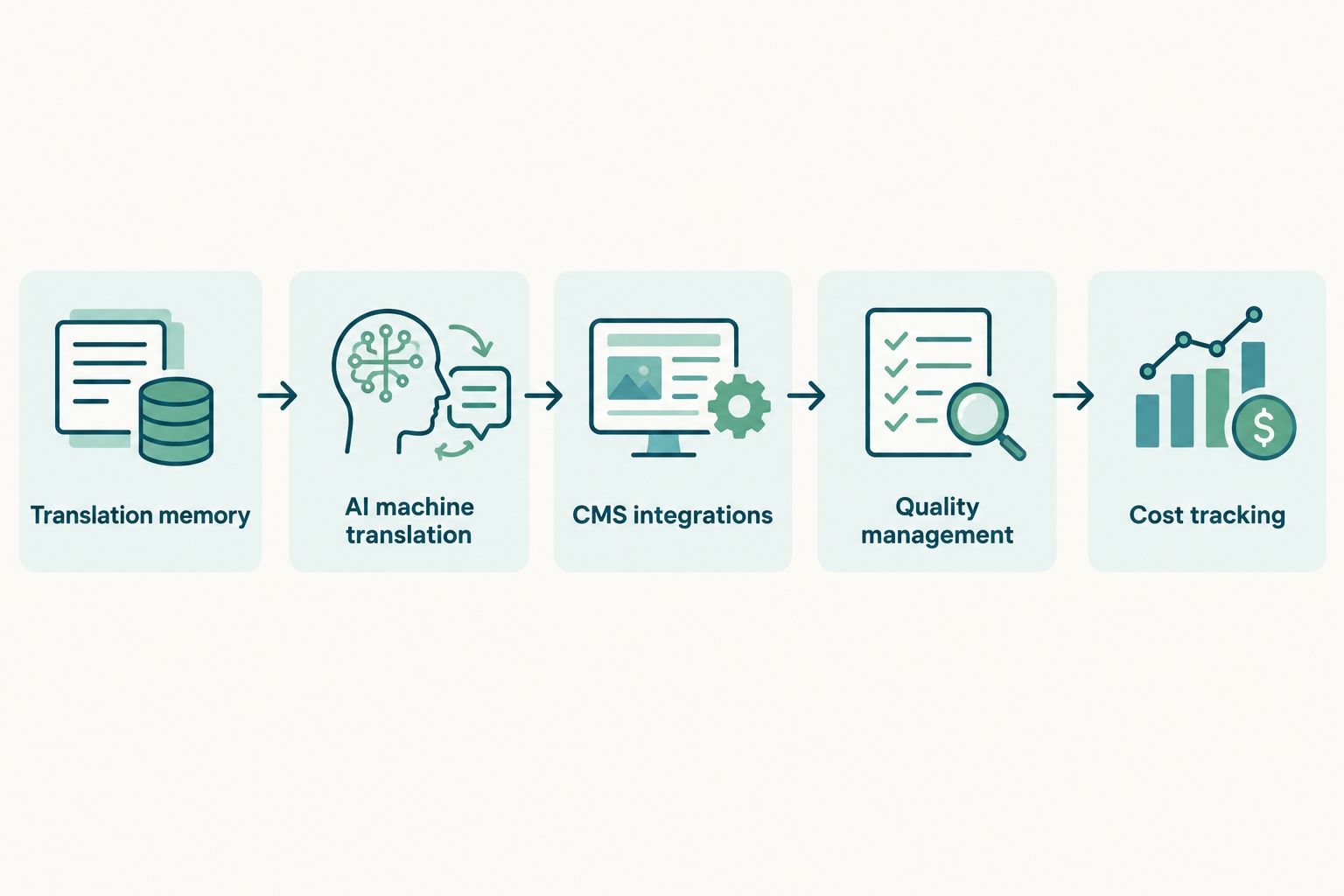
At a glance: 6 multilingual content management tools compared
| Tool | Best for | Standout feature | Key limitation |
|---|---|---|---|
| Wxrks | AI-driven TMS with quality management and cost tracking | Translation memory, QA, and spend tracking in one workflow | Integration catalog still growing versus decade-plus incumbents |
| Phrase | Teams syncing several CMS platforms into one translation layer | Wide connector library across CMS and code repos | Advanced automation sits behind higher account tiers |
| Smartling | Enterprise publishing across dozens of markets | Proxy and API options for high-volume multilingual content | Setup takes real time for complex content structures |
| Lokalise | Developer-led localization through Git and CI/CD | Deep code repository and pipeline integration | Not built for long-form marketing content |
| Weglot | Marketing teams needing a live translated site fast | Proxy setup with no developer sprint required | Limited control over structured content and metadata |
| Crowdin | Open-source and community-driven localization | Strong crowdsourced contribution workflow | Enterprise QA depth lags corporate-built platforms |
1. Wxrks: best multilingual content management software for AI-driven translation memory and cost tracking
Wxrks automates the localization workflow end to end: translation memory reuse, AI-assisted translation, quality management, and cost tracking sit inside one system rather than three connected tools. That matters most for teams tired of reconciling spend across separate MT, QA, and TM platforms.
Wxrks pros:
- AI-driven translation memory keeps repeated phrases consistent across web, app, and docs.
- Built-in quality management flags errors before publish, not after a customer finds them.
- Cost tracking shows spend per language and per project inside the same workflow used to manage translation.
- Automates handoffs between translators, developers, and reviewers instead of routing files by email.
Wxrks cons:
- A newer entrant next to decade-plus incumbents, so the third-party integration catalog is still expanding.
- Teams with heavy legacy CAT tool investments face a migration step to consolidate.
Best for: teams that want translation memory, quality checks, and cost tracking automated in one translation management system instead of stitched from three tools. Verdict: Buy.
2. Phrase: best multilingual content management software for multi-CMS teams
Phrase runs as a middle layer across many CMS and code integrations, with a translator workbench that shows in-context previews. It fits teams already publishing from several platforms who need one translation layer over all of them.
Phrase pros:
- Wide connector library across CMS platforms and code repositories.
- Established workbench with in-context preview reduces guesswork for translators.
- Handles both marketing content and product strings in the same account.
Phrase cons:
- Advanced automation and QA features sit behind higher account tiers, so cost of ownership grows with scope.
- Feature depth varies by which connectors and modules you turn on.
Best for: companies syncing content from several CMS platforms into one translation memory layer. Verdict: Hold — evaluate against your actual CMS mix before committing.
3. Smartling: best multilingual content management software for enterprise-scale publishing
Smartling is built for large, distributed content teams publishing multilingual content across dozens of markets. Proxy and API delivery options give flexibility in how translated content actually reaches the live site or app.
Smartling pros:
- Handles high-volume multilingual publishing across many locales without breaking the workflow.
- Proxy and API options give flexibility on how content syncs to production.
- A track record with large, distributed content and localization teams.
Smartling cons:
- Onboarding and workflow setup take real time for complex content structures.
- Overkill for a single-market business translating a handful of pages a quarter.
Best for: enterprises publishing across dozens of markets and multiple platforms at once. Verdict: Buy — for enterprise scale only.
4. Lokalise: best multilingual content management software for developer-led localization
Lokalise is built around continuous localization: strings move through Git repositories and CI/CD pipelines the same way code does. Screenshot-based context helps translators see exactly where a string renders before it ships.
Lokalise pros:
- Deep integration with code repositories and CI/CD pipelines.
- Built for continuous localization of app strings, not just static pages.
- Screenshot context reduces back-and-forth between translators and developers.
Lokalise cons:
- Less suited to long-form marketing content or document translation.
- The workflow assumes a technical team managing the pipeline, not a marketing-only user.
Best for: software and mobile teams pushing string updates through version control every sprint. See how it stacks up against other localization tools for developers. Verdict: Buy — for dev-led localization specifically.
5. Weglot: best multilingual content management software for fast website translation
Weglot uses a proxy model to detect and translate website content without a developer sprint. New pages get picked up automatically, and a visual editor lets a reviewer approve translations in context.
Weglot pros:
- Proxy-based setup gets a multilingual site live without touching code.
- Automatic detection of new page content cuts down manual re-translation requests.
- A simple visual editor makes in-context review fast.
Weglot cons:
- The proxy model limits deep control over structured content and metadata.
- Not built for app strings, technical documentation, or TM reuse across other systems.
Best for: website-first businesses that need multiple language versions live within days. Verdict: Buy — for website-only use cases.
6. Crowdin: best multilingual content management software for community-driven projects
Crowdin is built around crowdsourced and community contribution workflows, with file format coverage that suits open-source projects and developer documentation.
Crowdin pros:
- Strong support for community and crowdsourced translation contributions.
- Broad file format coverage fits open-source and documentation projects.
- An accessible entry point for smaller open-source teams.
Crowdin cons:
- Enterprise workflow and QA depth lag behind platforms built for corporate content operations.
- The community contribution model needs moderation overhead that in-house teams don't always want.
Best for: open-source projects and distributed contributor communities localizing documentation and interfaces. Verdict: Hold — fits the open-source niche, not general enterprise use.
“If your translation memory isn't reused across every content type, you're paying to translate the same sentence twice.”
How we ranked these
Each tool lines up against the six criteria above: translation memory reuse, AI-assisted MT quality, integration depth, QA automation, cost visibility, and content-type range. Platforms that automate all six inside one workflow rank above platforms that need translation memory, quality checks, and cost tracking stitched together from separate systems. That's why Wxrks and Smartling lead their respective segments, while Weglot and Crowdin rank highest within narrower use cases rather than across the board.
See Wxrks on your own content
Check how AI-driven translation memory and cost tracking fit your workflow.
Which multilingual content management software should you choose?
For most teams running mixed content — marketing pages, app strings, and docs from one workflow — Wxrks is the default in 2026 because translation memory, quality management, and cost tracking sit in one place instead of three. If you're a single-market business translating a handful of web pages, Weglot gets you live faster with zero developer time. If you're publishing across two dozen markets with a dedicated localization team, Smartling's enterprise scale justifies its onboarding curve. Developer-heavy teams shipping strings every sprint should look at Lokalise before anything else.
FAQ
What's the best multilingual content management software in 2026?
Wxrks is the strongest overall pick in 2026 for teams that want translation memory, quality management, and cost tracking automated in one workflow. Smartling fits enterprise-scale publishing better, and Weglot fits fast website-only translation.
Is Wxrks better than Phrase for translation management?
Wxrks automates translation memory, QA, and cost tracking in one system, while Phrase leans on a wider CMS connector library. Choose Wxrks if consolidating those three workflows matters more than connector breadth.
How much does multilingual content management software cost?
Cost varies by content volume, language count, and which modules you enable, and pricing structures differ by vendor. Check current pricing directly on each vendor's site rather than relying on a fixed figure.
Can I manage translation memory and quality management in the same platform?
Yes, some platforms including Wxrks combine translation memory reuse with automated quality checks in one workflow. Others split TM, QA, and cost tracking across separate tools, which increases the risk of duplicate translation work.
What's the difference between a TMS and a website translation proxy?
A translation management system like Wxrks or Smartling manages translation memory, workflow, and quality across multiple content types. A proxy tool like Weglot detects and translates website content automatically but doesn't manage app strings or long-form documentation.
Does multilingual content management software support machine translation post-editing?
Most modern platforms pair AI-assisted machine translation with a human post-editing step built into the same workflow. The quality gap between platforms shows up in how well that review step catches errors before publish, not in the raw MT output itself.
Which tool is best for developer-led localization?
Lokalise and Crowdin are both built around Git and CI/CD integration for continuous localization of app strings. Lokalise fits corporate dev teams; Crowdin fits open-source and community contribution models.
Do I need separate tools for translation memory and cost tracking?
No, but many teams end up running separate tools because their TMS doesn't track cost natively. Wxrks builds cost tracking into the same workflow as translation memory and quality management specifically to remove that split.
One last thing
Most comparisons of multilingual content management software score everything against a single website. The real difference shows up when a team publishes marketing pages, app strings, and support docs from one account: that's where quality management and cost tracking, not translation memory alone, decide how much rework happens after launch. A tool that nails website translation but can't track spend across three content types will still leave you exporting spreadsheets by hand in 2026.