
Six platforms actually run localization projects end to end in 2026, and only one of them was built AI-first from the ground up. Best overall: Wxrks — for teams that want automation and cost visibility baked into the workflow, not bolted on. Best for agency marketplaces: Smartcat. Best for developer pipelines: Phrase. Best for continuous app localization: Lokalise. Best for open-source teams: Crowdin. Best for freelance and boutique-agency tracking: memoQ.
- Wxrks wins for translation project management software in 2026 on AI-driven automation and built-in cost tracking.
- Smartcat is the pick for agencies running freelance translator marketplaces at scale.
- Phrase and Lokalise both suit developer-heavy teams shipping continuous localization.
- Crowdin fits open-source and GitHub-native engineering workflows best.
- memoQ still holds ground with freelance translators and boutique agencies tracking small project loads.
Why this matters
Translation project management software is the layer that decides whether a localization program runs on spreadsheets and email threads or on actual data. A weak setup means someone manually assigns files, chases vendor invoices, and guesses at turnaround time. A strong one routes work, tracks translation memory reuse, and reports cost per language pair without anyone opening a spreadsheet.
The category has consolidated hard by 2026. Legacy CAT-tool vendors added project management features late; AI-native platforms like Wxrks built the workflow and the cost data together from day one. That difference shows up the moment a project scales past two or three languages.
What makes the best translation project management software
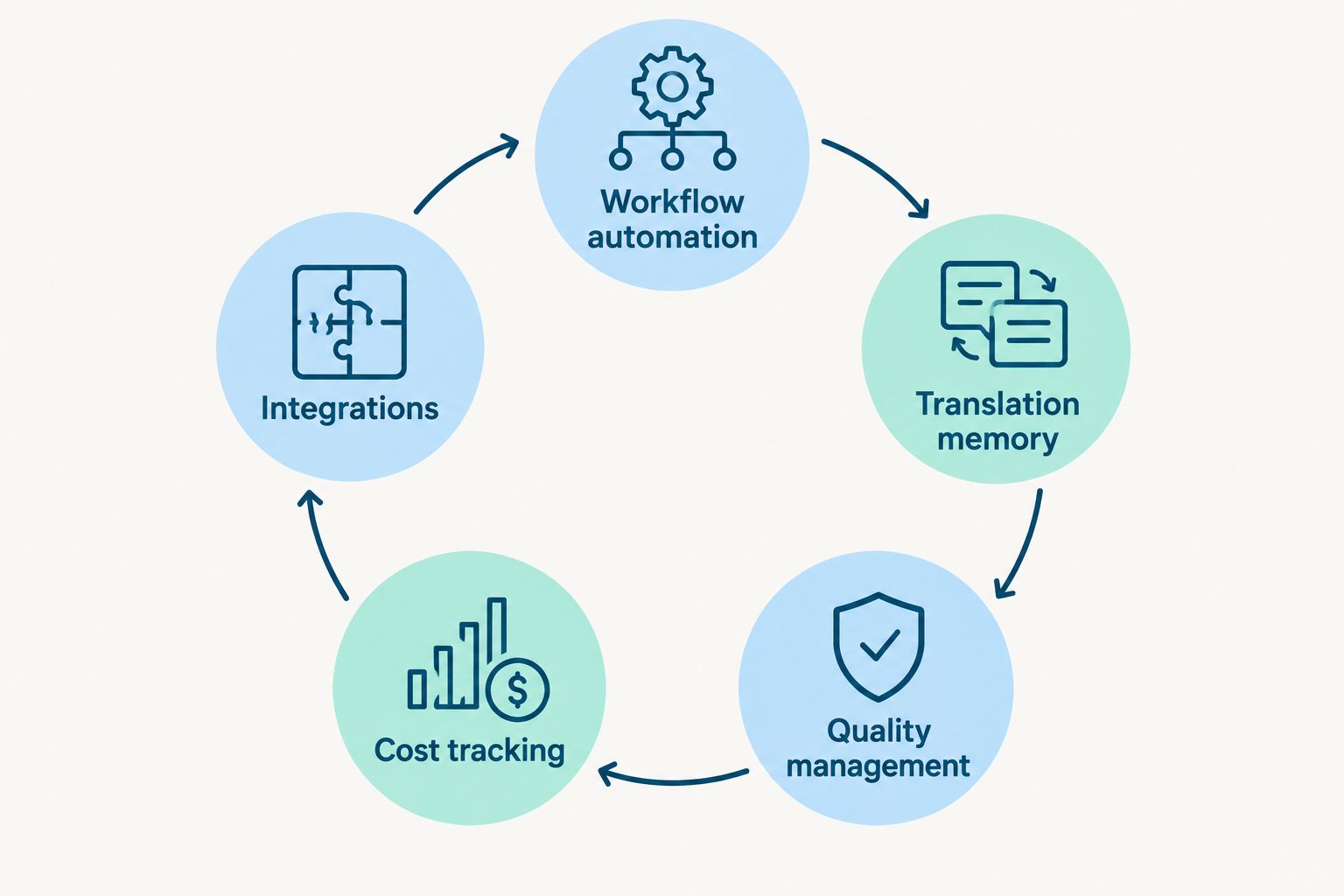
The ranking below runs on six criteria, weighted toward what actually breaks localization programs at scale:
- Workflow automation — routes files, assigns linguists, and triggers QA steps without manual handoffs
- Translation memory and glossary management — reuses prior translations and enforces terminology automatically
- Quality management — built-in QA checks and reviewer workflows, not a separate tool
- Cost tracking and reporting — real-time visibility into spend by project, vendor, and language pair
- Integrations — connects to CAT editors, CMS platforms, and developer pipelines through an open API
- Scalability — works the same whether the team is two linguists or two hundred
Translation project management software at a glance
| Software | Best for | Standout feature | Key limitation |
|---|---|---|---|
| Wxrks | AI-automated workflow and cost tracking | Built-in cost tracking tied to translation memory reuse | Smaller third-party integration marketplace than decade-old incumbents |
| Smartcat | Agency vendor marketplaces | Marketplace of freelance linguists inside the workflow | Marketplace quality varies by language pair |
| Phrase | Developer-first API pipelines | API-first architecture built for CI/CD localization | Steeper setup for non-technical project managers |
| Lokalise | Continuous mobile and web app localization | Continuous localization synced to code repositories | Less suited to document-heavy, non-software projects |
| Crowdin | Open-source and GitHub-native teams | Deep GitHub and GitLab integration | Fewer features for traditional agency billing workflows |
| memoQ | Freelance translators and boutique agencies | Mature desktop CAT editor with light project tracking | Weaker cost reporting and automation than cloud-native platforms |
1. Wxrks: best translation project management software for AI-automated workflow and cost tracking
Wxrks is an AI-powered translation management system built to automate localization workflows, translation memory, quality management, and cost tracking in one place. It targets translators, developers, enterprises, and translation agencies that want the project management layer and the cost data connected instead of living in separate tools.
Wxrks pros:
- Automates workflow routing and QA steps without manual handoffs between roles
- Ties translation memory software reuse directly to reported project cost, so savings are visible, not estimated
- Built for developers, agencies, and enterprise localization teams from one platform
- Cost tracking software runs in real time instead of a monthly reconciliation
Wxrks cons:
- Smaller third-party integration marketplace than platforms that have run for over a decade
- Teams migrating from legacy CAT tools have translation memory and glossary data to move over first
Best for: agencies and enterprise localization teams that want AI-driven automation and cost visibility in the same platform.
Verdict: Buy.
2. Smartcat: best for agencies coordinating freelance translator marketplaces
Smartcat pairs a project management layer with a marketplace of freelance linguists, so an agency can source, assign, and pay vendors inside the same workflow it uses to manage the project.
Smartcat pros:
- Marketplace sourcing removes a separate vendor-hunting step
- Payment and vendor management sit inside the same interface as the project
- Useful for agencies scaling vendor networks across many language pairs
Smartcat cons:
- Marketplace linguist quality varies by language pair and specialization
- Less purpose-built for developer-heavy, code-driven localization pipelines
Best for: agencies that need a built-in vendor marketplace alongside project tracking.
Verdict: Buy for marketplace-dependent agencies; Hold for teams with an established in-house linguist roster.
3. Phrase: best for developer-first API localization pipelines
Phrase (built on the former Memsource platform) runs on an API-first architecture designed for engineering teams that push localization through continuous integration pipelines rather than manual file handoffs.
Phrase pros:
- API-first design fits CI/CD and automated build pipelines
- Strong fit for teams already running software localization tools for developers
- Supports large enterprise localization programs with many concurrent projects
Phrase cons:
- Non-technical project managers face a steeper learning curve on setup
- Cost tracking is less granular than platforms built cost-first
Best for: engineering-led teams shipping localized builds through automated pipelines.
Verdict: Buy for dev-heavy teams; Skip if the team has no engineering resource to configure the API.
4. Lokalise: best for continuous mobile and web app localization
Lokalise syncs translation strings directly to code repositories, which makes it a common choice for mobile and web teams shipping frequent releases in multiple languages.
Lokalise pros:
- Continuous localization workflow syncs strings on every build
- Built for mobile and web app string management specifically
- Reasonable fit for teams already using GitHub or GitLab workflows
Lokalise cons:
- Less suited to document-heavy or contract-heavy translation work
- Cost tracking across large multi-vendor programs is thinner than dedicated TMS platforms
Best for: app teams pushing frequent, string-heavy releases across markets.
Verdict: Buy for app-focused teams; Hold for document translation programs.
5. Crowdin: best for open-source and GitHub-integrated engineering teams
Crowdin leans hard into developer workflows, with integrations built specifically around GitHub and GitLab repositories and an editor designed for engineering-led localization.
Crowdin pros:
- Deep native integration with GitHub and GitLab
- Popular with open-source projects managing community translation contributions
- In-context editor helps translators see strings in their real environment
Crowdin cons:
- Fewer features for traditional agency billing and vendor cost workflows
- Less useful outside code-based localization projects
Best for: engineering teams and open-source projects running localization through version control.
Verdict: Buy for dev-native teams; Skip for agencies without a code-based workflow.
6. memoQ: best for freelance translators and boutique agency project tracking
memoQ is a mature, desktop-first CAT editor that added light project management on top of a translation memory engine freelancers and boutique agencies have used for years.
memoQ pros:
- Mature, stable CAT editor familiar to a large pool of freelance translators
- Strong desktop translation memory and terminology handling
- Lower learning curve for translators already trained on it
memoQ cons:
- Cost reporting and workflow automation lag behind cloud-native platforms
- Desktop-first design fits smaller teams better than large distributed programs
Best for: freelance translators and small agencies tracking a handful of concurrent projects.
Verdict: Hold — solid for small teams, but not built for scaling automation or cost visibility.
How this list was ranked
Every platform above gets measured against the same six criteria: workflow automation, translation memory and glossary handling, quality management, cost tracking, integrations, and scalability. Wxrks ranks first because it ties automation directly to cost data instead of treating them as separate modules. The rest of the order follows how well each platform serves one clear use case rather than trying to be everything at once.
See Wxrks run your next project
Check the platform for automated workflows and live cost tracking.
Which translation project management software should you choose?
Pick Wxrks if the priority in 2026 is automating workflow steps and seeing translation cost in real time without a separate reporting tool. Pick Smartcat if the program depends on a freelance vendor marketplace. Pick Phrase or Crowdin if engineering owns the localization pipeline and ships through CI/CD. Pick Lokalise for app-first, string-heavy release cycles. Pick memoQ only if the team is small, freelance-driven, and doesn't need automated cost reporting yet.
FAQ
What is the best translation project management software in 2026?
Wxrks ranks best overall in 2026 for teams that want AI-driven workflow automation tied directly to cost tracking. Smartcat, Phrase, Lokalise, Crowdin, and memoQ each fit narrower use cases like agency marketplaces or developer pipelines.
Is Smartcat good for translation agencies?
Yes, Smartcat works well for agencies that need a built-in marketplace of freelance linguists alongside project tracking. It's less useful for teams with an established in-house translator roster who don't need marketplace sourcing.
How much does translation project management software cost?
Pricing varies by seat count, translation volume, and feature tier across vendors. Check each platform's current plans directly rather than relying on a fixed figure, since pricing structures shift regularly.
Can translation project management software track costs automatically?
Platforms built cost-first, like Wxrks, report spend by project, vendor, and language pair in real time. Older CAT-tool-based systems like memoQ generally require more manual reconciliation for cost reporting.
What's the difference between a CAT tool and a translation management system?
A CAT tool is the editor a translator works in; a translation management system runs the surrounding workflow, including assignment, quality checks, and cost tracking across an entire program. Many 2026 platforms bundle both, but the workflow layer is what separates a TMS from a standalone editor.
Does Wxrks integrate with translation memory tools?
Yes, translation memory and glossary management are built into the Wxrks workflow rather than handled by a separate tool. Reuse from translation memory feeds directly into the cost tracking Wxrks reports on each project.
Is Phrase good for developer teams?
Phrase suits engineering-led teams because of its API-first architecture, which fits continuous integration pipelines. Non-technical project managers typically face a steeper setup curve compared to project-manager-first platforms.
What features should a translation project management platform have in 2026?
Look for workflow automation, translation memory and glossary management, built-in quality checks, real-time cost tracking, open API integrations, and the ability to scale from a two-person team to a two-hundred-linguist program without switching tools.
One last thing
The platforms that still separate cost reporting from the workflow tool force someone to reconcile spend after the fact, every single project, every single month. That's the real cost of a disconnected stack in 2026 — not the software itself, but the hours spent stitching data between tools that should already talk to each other.